Download · Template
Options trading journal template (Excel, free)

Tortuga Trades · · 5 min
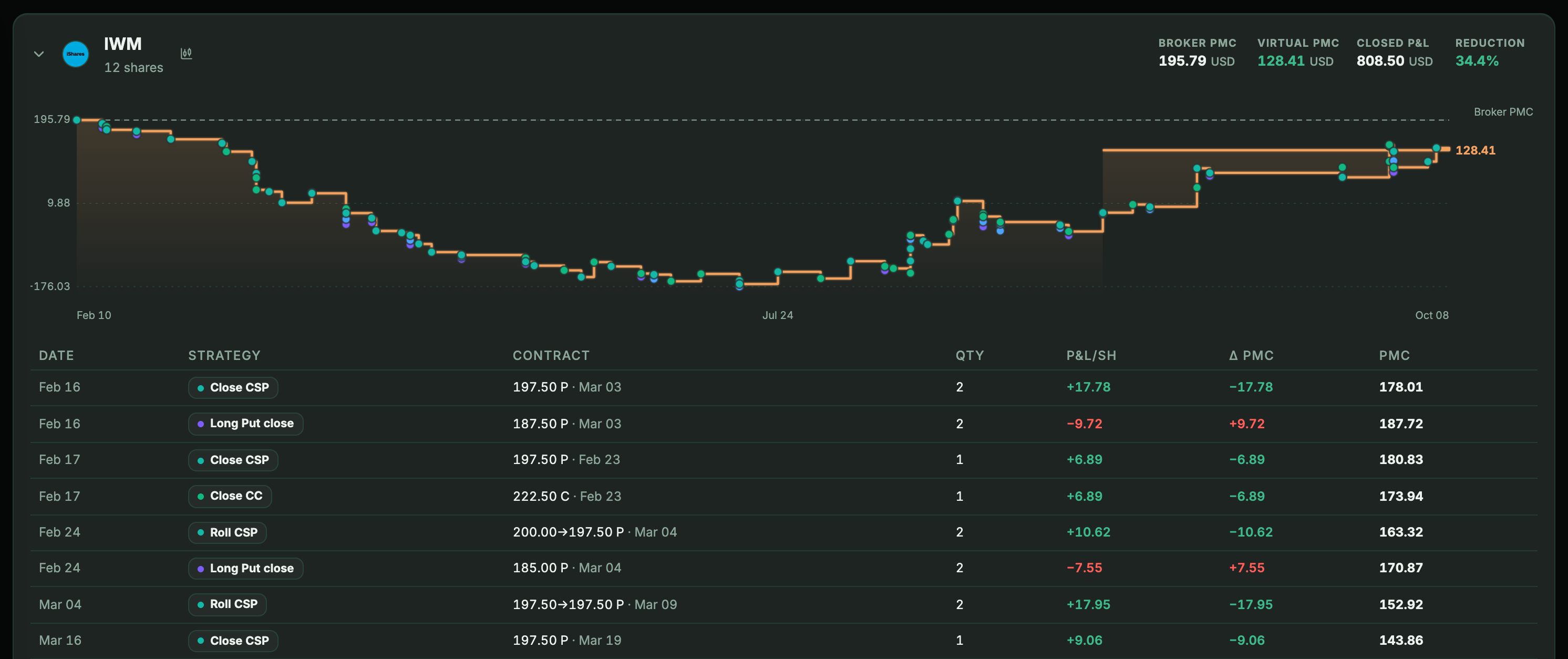
The trading journal templates floating around in Spanish are built for trading stocks outright: date, asset, entry, exit, result. None of them knows what to do when you collect a premium or when you get assigned 100 shares. This one does: it records net premiums, assignments and complete wheel cycles, and calculates the real cost basis that no broker shows you.
.xlsx format, 38 KB. No sign-up, no email and no strings attached. Works in Excel, LibreOffice and Google Sheets. The spreadsheet itself is in Spanish.
What's inside
| Sheet | What it’s for |
|---|---|
| Instrucciones (Instructions) | How to fill it in, the color code and the two rules you have to follow. |
| Operaciones (Trades) | The only sheet you write in. One row per trade: put and call sales, buybacks, share purchases and sales. |
| Ciclos (Cycles) | One wheel cycle per row. Accumulated premiums, days, result, committed capital and annualized return. |
| Posiciones (Positions) | Your shares with the gross cost basis, the real cost basis and the unrealized result. |
| Resumen (Summary) | Totals and premiums month by month. |
You only write in the Trades sheet and in four other cells. Everything else is formulas: as soon as you enter a trade, the cycles, positions and summary update on their own.
What it calculates that other templates don't
The real cost basis
When you get assigned, the cost of those shares isn't the strike price: you have to subtract the premium you collected. The template does it on its own and does it again every time you collect a new premium on that position. It's a simple subtraction that, by hand, stops getting updated by the third round —the why is in how to calculate your cost basis after an assignment.
The cycle as the unit
It groups by cycle, not by individual trade. You write the same identifier —«AAPL-1», whatever you like— on all the trades of the same wheel, and the Cycles sheet tells you how much you've collected so far, how many days it's been open and, once it closes, what it returned on the capital you had tied up.
Annualized return, only when it makes sense
An open cycle has no comparable result: the share purchase already weighs in but the sale doesn't exist yet. In those cases the template leaves the cell blank on purpose, instead of showing you a huge red number that means nothing.
How to use it
- Download it and open it. It comes with two example cycles shaded in green: one closed and one still open with the shares in the portfolio.
- See how they're filled in, and delete them: rows 4 to 12 of Trades, plus the two rows in Cycles and the one in Positions.
- Start entering. A yellow background is a cell you fill in; black text is a calculation you shouldn't overwrite.
Excel, LibreOffice or Google Sheets
It works in all three. It's deliberately built without Excel's modern functions —no MINIFS, XLOOKUPor spill formulas—, because those are exactly the ones that break when you open the file in Google Sheets or in an Excel version that's a few years old. All it uses is SUMIFS, INDEX, MATCH and SUMPRODUCT.
To use it in Google Sheets: File → Import → Upload, and choose «Replace spreadsheet». The dropdown lists in the «Operación» (Trade) and «Desenlace» (Outcome) columns are kept.
When it's going to fall short
Seriously, because a template isn't a tool for life and it's worth knowing where the limit is:
- When you have four or five cycles at once.Typing every trade on every underlying becomes a fixed chunk of time every week, and what doesn't get maintained stops being useful.
- When you want up-to-date prices. The unrealized result depends on a price you have to enter by hand, position by position.
- When dividends, currencies and custody fees come in.The sheet focuses on options and stocks; it doesn't pick up the account's other movements.
In the meantime, it's free, it's yours and it doesn't send your trades to anyone. Which is no small thing.
And when the spreadsheet falls short, what the template does —net premiums, assignments that lower the cost basis, the wheel cycle grouped by underlying— Tortuga does on its own, reading your broker's trades: the trading journal for options. There's a demo with sample data and plans start at €4.99 a month.
Keep reading
- How to calculate your cost basis after a put is assignedYou were assigned and your shares are worth less than you paid. The real number subtracts the premium you collected, and almost nobody gets it right.
- How to track the wheel strategy: premiums, assignments and cost basisThe wheel takes five minutes to explain and three months to get out of hand. What to record on each turn to know whether you are really making money.