Comparison · Trading journals
TradeZella in Spanish: what exists and what your alternatives are

Tortuga Trades · · 9 min
The short answer is no: TradeZella has no interface or documentation in Spanish, and as of today neither do the alternatives usually mentioned alongside it. If you got here looking for that, this article saves you the search —and, even more useful, it explains what really changes depending on the language, what «free» means for this kind of tool, and how to choose one if you trade from Spain with Interactive Brokers.
What TradeZella is and who it's built for
TradeZella presents itself on its own website as «AI Trading Partner & #1 Trading Journal», and advertises more than 100,000 traders and more than 20 billion trades logged. It is, in essence, a trade journal: you import what you've done, tag it, and it gives you back statistics and charts about the way you trade.
Its natural audience is the active trader —day trading and swing— who wants to analyze their own behavior: streaks, times of day, setups that work and ones that don't. It's well made for that. The question isn't whether it's good, but whether it fits what you do and the language you want to work in.
Language: what changes in practice
It's tempting to dismiss the language issue as a matter of convenience. It isn't entirely, and it's worth separating three different things that tend to get mixed up:
- The interface. If you get by in English, this matters least. A few labels and you get used to it.
- The documentation and support.This is where it starts to hurt. When something doesn't add up —an import that duplicates trades, an option that doesn't group the way you expect— you have to explain your problem in English and understand a technical answer in English.
- The concepts.The one nobody mentions and the one that creates the most friction. A tool written for the US market takes for granted conventions that aren't yours, and it doesn't just translate words: it mistranslates the context.
The alternatives, and what language they're in
These are the four tools that systematically show up next to TradeZella, with the description each one gives of itself on its homepage. I'm leaving prices out on purpose, and I explain why further down.
| Tool | How it describes itself on its website | Language |
|---|---|---|
| TradeZella | «AI Trading Partner & #1 Trading Journal» | English |
| Tradervue | «Trading Journal for Stocks, Options, Futures & Forex» | English |
| TraderSync | «Trading Journal for Stocks, Forex, Futures, Crypto & Options» | English |
| Edgewonk | «Best Trading Journal for Forex, Stocks, Futures, Crypto» | English |
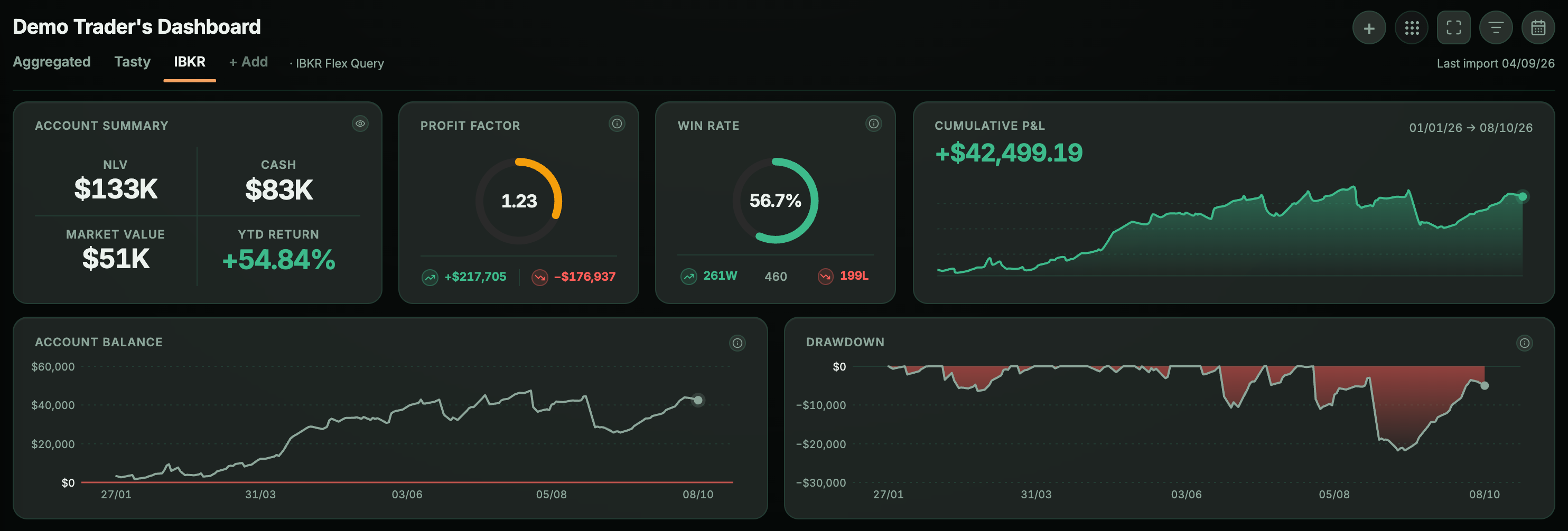
| Tortuga Trades | Trade journal and portfolio: stocks, ETFs, options and dividends | Spanish and English |
There's a pattern that jumps out in the middle column: they all define themselves by the list of markets they cover —stocks, forex, futures, crypto, options— and by the active multi-asset trader who moves across them. None defines itself by the portfolio, or by dividends, or by long-term tracking of a position. If what you do is sell options on stocks that also pay you dividends, you're using a tool designed for something else.
Why there's no price column
Because it would be false within two weeks. In August 2026, when I documented this, TraderSync had an «up to 60% off» countdown on its pricing page and Edgewonk was advertising summer discounts. Publishing those figures as if they were the normal price is misleading, and nobody is going to update them every quarter. Check the price on their website on the day you decide; it's the only reliable figure.
Before paying, look at two things that change less than prices: whether billing is monthly or annual, and whether there's a single plan or several tiers. There are real differences between them there, and you can see them on their pricing page in ten seconds.
If what brought you here isn't the language but options—selling puts, covered calls, the wheel—, the useful comparison is a different one and it's in a TradeZella alternative for options traders, written after paying for its subscription until April 2026.
«TradeZella free»: what's actually true
It's one of the most frequent searches and it deserves a direct answer, because two false answers are going around. The first is that TradeZella has a permanent free plan: its pricing page only offers paid plans (checked on September 11, 2026). That other tools do have a free plan —Tradervue, for example, offers free sign-up— doesn't make it the industry norm or something TradeZella does. The second, more dangerous, is the «free» versions that turn up on forums: modified software that asks you to install an executable and load the complete history of your brokerage account into it. No need to explain why that's a bad idea.
The real free route is the usual one: a spreadsheet. And it works —for a while. If you sell one put a month on a single underlying, a well-built Excel sheet is more than enough.
Where the spreadsheet breaks
It breaks in three specific places, and it's worth knowing them before investing hours in building it:
- When you get assigned.The cost basis of those shares isn't the strike price: you have to subtract the premium. It's a simple subtraction that has to be redone every time you collect a new premium, and it's exactly the one that stops getting updated. I explain it in full in how to calculate your cost basis after assignment.
- When you run several cycles at once. With four or five underlyings rolling, keeping the accumulated premiums and costs of each one by hand becomes a weekly chore.
- When you want to know if you're doing well.Adding up premiums is easy; knowing what the capital you have tied up is returning is not. It's developed in how to keep records of the wheel.
Four questions before choosing
More useful than a feature table is answering these, in this order:
- What do you trade?If you day trade futures or currencies, the tools above are built for you and Tortuga isn't. If you have stocks, ETFs, options and dividends living in the same account, most trade journals will treat each one separately.
- With which broker?This is the question that settles the most decisions. If it's Interactive Brokers, check that the tool imports via Flex Query and not only via manual CSV — there is a step-by-step guide to creating one. TradeZella also syncs via Flex Query, so this question doesn't decide between these two: it decides against the ones that only accept CSV.
- What do you want to measure? Analyzing your trading behavior (streaks, times of day, discipline) is not the same as tracking the state of a portfolio (cost basis, accumulated premiums, dividends). Most of these tools do the former.
- How long will you keep it up?A journal you don't update is worthless. The friction of each entry matters more than the feature list: if it imports on its own, you'll keep it up; if you have to type, you won't.
When Tortuga isn't your tool
To be consistent with the above, it's worth saying clearly. Tortuga won't work for you if you trade currencies or cryptocurrencies, which aren't in the data model. Nor if what you're after is detailed intraday behavior analysis —what time of day suits you best, how many trades in a row you can handle—, which is exactly TradeZella's territory: here positions are measured in days or months, not sessions.
Tortuga is built for the opposite case: an Interactive Brokers account with stocks, ETFs, options and dividends, and the need to know where each position stands. In Spanish or English, and for €4.99 a month.
Keep reading
- A TradeZella alternative for options tradersI was subscribed until April 2026 and left for five specific reasons. What a journal needs when you sell puts and covered calls, checked against their public sources.
- How to track the wheel strategy: premiums, assignments and cost basisThe wheel takes five minutes to explain and three months to get out of hand. What to record on each turn to know whether you are really making money.
- How to create an Interactive Brokers Flex Query, step by stepCreate the query in Client Portal, enable the Flex Web Service token and connect your account without sharing your broker password.