Guide · Dividends
Dividend calendar: how to build your portfolio’s and get paid every month

Tortuga Trades · · 6 min
Which months do you collect dividends? Not the market's, which the press publishes every week, but yours, those of the stocks you own: it looks like the same question and it isn't. The market calendar tells you who pays this week; your portfolio's tells you whether you will collect anything in March, and how much.
Two columns you shouldn't mix
A useful dividend calendar has two columns. One holds what the company has already announced: amount, ex-date and payment date, in black and white. The other holds what you estimate because that company has been paying on the same dates for years.
In other words, the first column is a fact and the second is a habit. Habits usually hold, but not always: a company can cut its dividend, change its schedule or replace the cash payment with new shares. That is why the two columns should never be mixed.
Mixing them has a concrete cost. If you add up the estimated payments as if they were certain, your year's total will look firmer than it is; and the day a company changes its habit, you won't see the gap coming.
Each market has its own rhythm
Before filling anything in, it is worth knowing at what rhythm each company pays, because it isn't the same everywhere. These are three common rhythms; there are more, such as that of companies that pay only once a year:
- Quarterly. Four payments a year, one per quarter. It is the rhythm of many US companies, such as Johnson & Johnson.
- Two payments a year. It is the rhythm of many Spanish listed companies, each in its own months: Repsol and Endesa paid in January and July 2026; Santander and Inditex pay out in May and November.
- Monthly. It is less common, but it exists: Realty Income presents itself as «The Monthly Dividend Company» and in August 2026 announced its 674th monthly dividend.
This has a practical consequence: a portfolio can collect quite a lot over the year and still go whole months without collecting anything. With those four Spanish companies, if they keep their schedule, you would collect in January, May, July and November, and no other month.
Why your portfolio gets paid in fits and starts
Let's see it with an example in round numbers. The four companies are made up, but each one pays at the typical rhythm of its market:
| Company | Pays in | Each payment | Per year |
|---|---|---|---|
| A (US, quarterly) | January, April, July and October | €50 | €200 |
| B (US, quarterly) | March, June, September and December | €40 | €160 |
| C (Spain, two payments) | January and June | €120 | €240 |
| D (Spain, two payments) | May and November | €90 | €180 |
And now, month by month:
The average comes to €65 a month, and it is a figure that doesn't occur in any month: in February and August nothing comes in, and in January and June more than double comes in. If you plan with the average, you won't get a single month right.
Hence the value of the calendar over the total. The total tells you whether the year is going well; the calendar tells you when the money arrives, which is what matters if you are counting on it for something.
How to fill the empty months
If what you want is to get paid every month, the tool is the payment cycle. A quarterly payment falls, in principle, in one of three cycles: January, April, July and October; February, May, August and November; or March, June, September and December.
Three quarterly payers, one from each cycle, cover all twelve months. In the example, the portfolio is missing exactly the middle cycle: a company paying in February, May, August and November would fill the two empty months, February and August.
That said, it is worth saying clearly: getting paid every month is a convenience, not a return. A company doesn't pay more for doing it in February, and choosing a stock for the month it pays out is choosing it for the wrong reason. If the calendar is good for anything, it is so that your cash flow doesn't catch you by surprise.
How you see it in Tortuga
In Portfolio › Dividends, the Payments calendarshows the year month by month with the two columns from the start kept apart, and what has already been collected set aside: collected payments have a colored fill; announced ones, a solid outline; and estimated ones, a dashed outline. The calendar's legend reminds you.
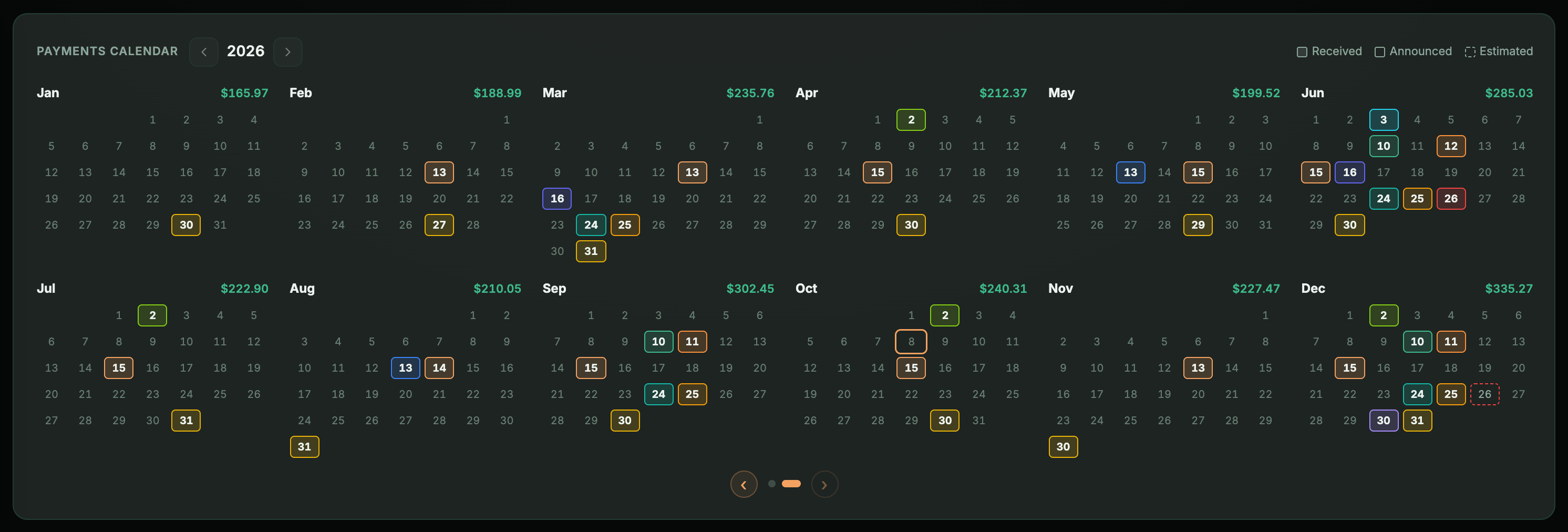
The estimates come from your own history: which months each company pays, what day the money usually arrives and how much it has paid you. With Interactive Brokers and Trade Republic, the amount is also adjusted to the shares you hold today.
The announced payments come from Yahoo's calendar: the payment date the company has already published for its next dividend, with the amount calculated on the shares you hold today. One nuance, so it doesn't confuse you: Tortuga only knows the announced amount once the ex-date has passed. Until then it calculates it with the last dividend the company paid and marks it with «≈».
In the header of the same screen, the Monthly averagespreads what has been collected during the year over the months that have already gone by: with the example above, €65. It is the figure that doesn't occur in any month; the calendar tells you in which ones the money really arrives.

On the dashboard you can add the Upcoming dividendscard —with «+», in the «Income & investing» group—, which shows what is coming in the next 90 days and marks each payment as estimated or, when it is already known, with its ex-date. And in the general calendar, when you open a day with payments, you will see them under Day's income.
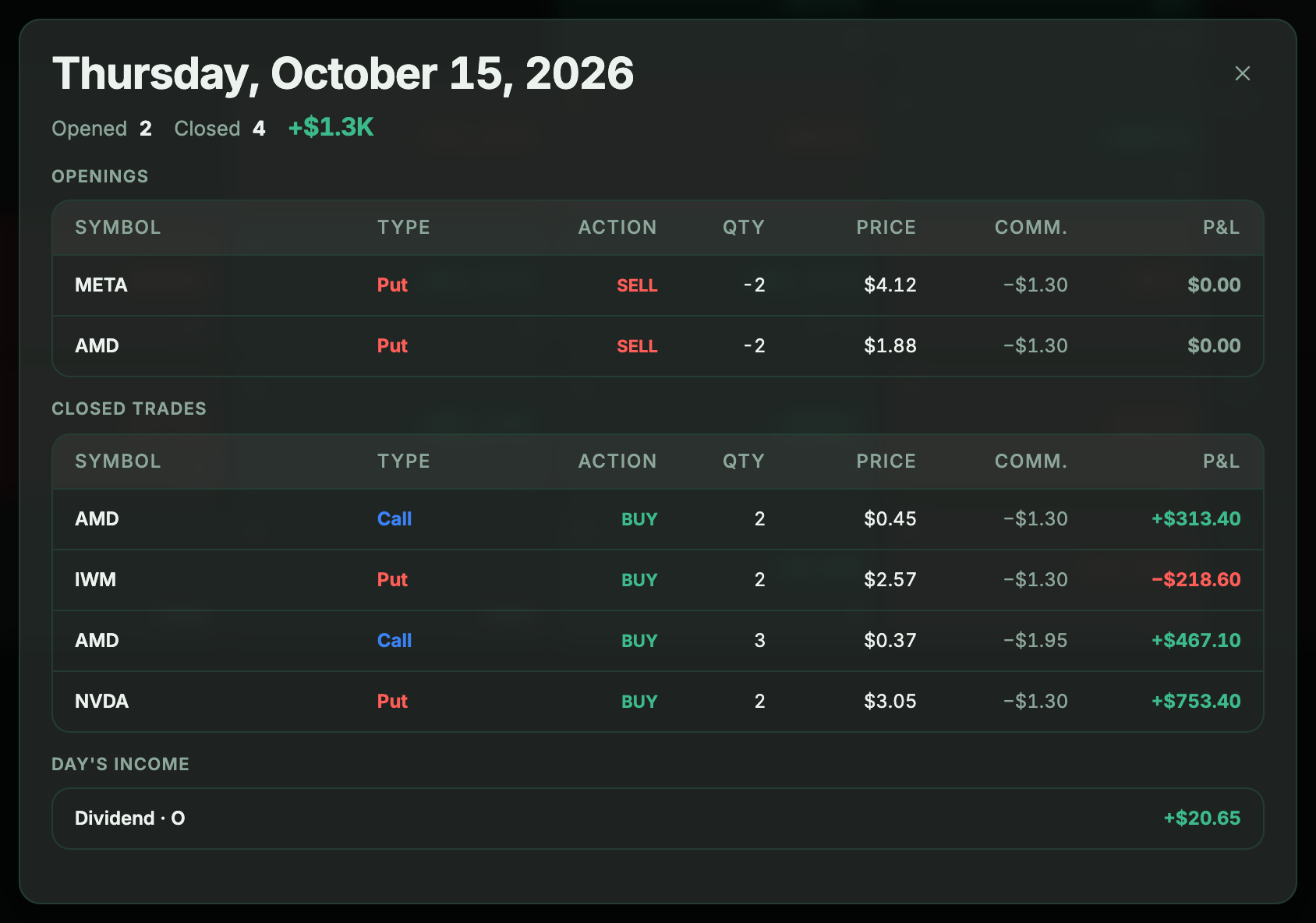
The three dates of each payment —ex, record and payment— and why they don't fall the same way in New York as in Madrid are covered in the ex-dividend date. And the projection for the next twelve months, the PADI, is in dividend tracking.
Keep reading
- Ex-dividend date: the last day you can buy and still get the dividendThe payment date doesn’t tell you whether you get paid; the ex-dividend date does. In New York it matches the record date, in Madrid it falls one business day earlier, and on the ex-date your portfolio drops without that money being lost.
- Tracking your Interactive Brokers dividends: received and projectedYour broker statement tells you what you have been paid. It doesn’t tell you what you will be paid, or how much already comes in without selling anything once you add interest and premiums.
- Iberdrola’s scrip dividend: what to do with your rights and what happens to your cost basisTwice a year Iberdrola asks what you want to do with your dividend, and if you don’t answer, it chooses for you. The three options, which number changes in your portfolio with each one, and how each is taxed.